Project Overview
A redesign aimed at bringing Pinterest up to speed with its competitors, rethinking the image search experience on the platform.
Timeframe
2026 | The execution 2 weeks in total.
My responsibilities
I managed the project completely independently.
What I Learned
I learned how to work on platforms that I was not building from scratch. How to respect an existing app’s vision while intervening in a non-intrusive yet innovative way.
The goal was clear...
Bring back users who had abandoned Pinterest in favor of its competitors, refocusing the platform on its core purpose. Discovering high-quality inspiration.
Main Pain Points
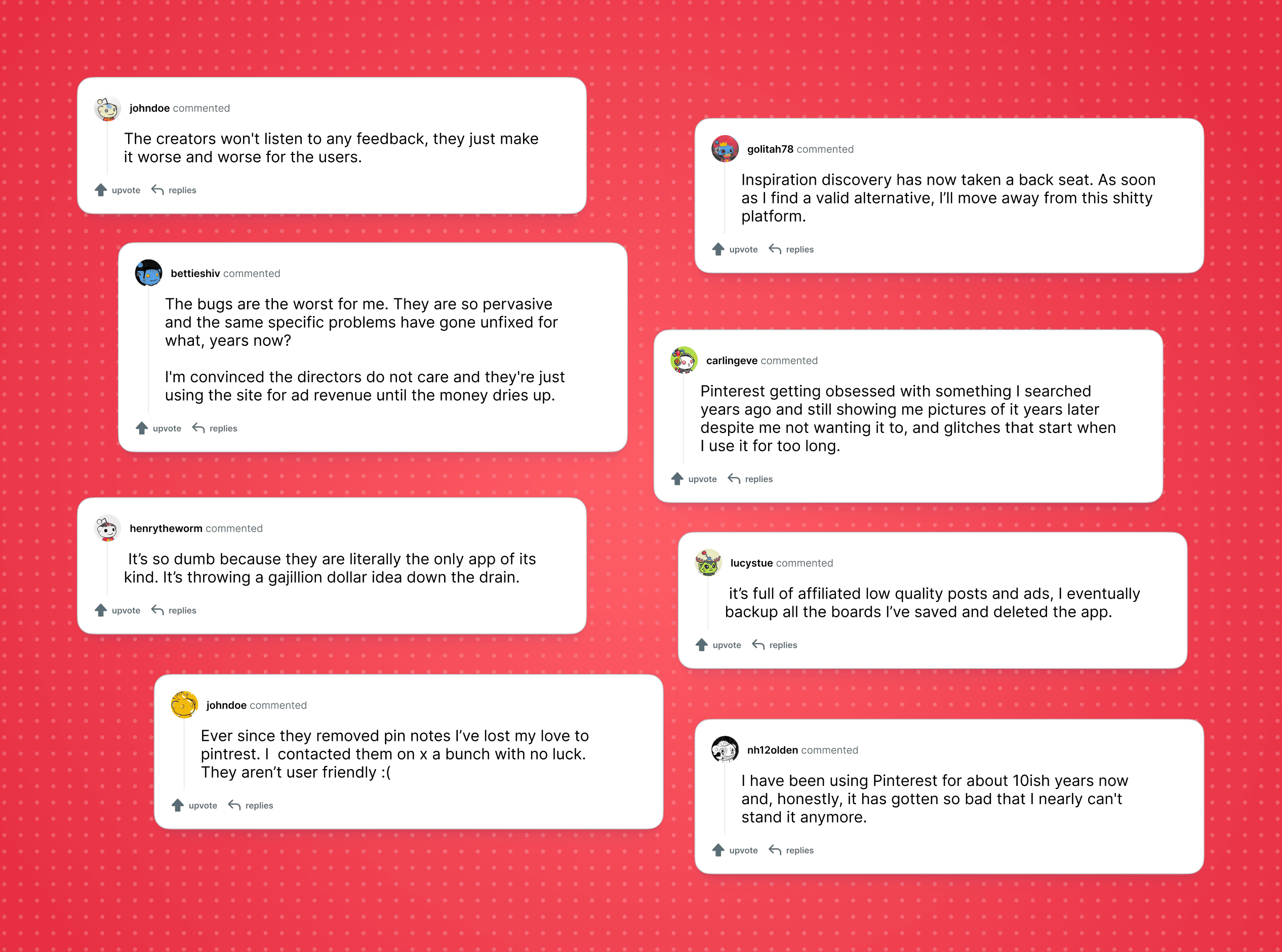
I started with something simple… listening to the community. I began to understand the common frustrations with the platform: highly requested features that were never implemented, feeds no longer aligned with user interests, and persistent bugs. Clearly, not all of these issues could be solved through design alone. So I asked myself: where could I make an impact as a designer?
How Are Competitors Positioning Themselves?
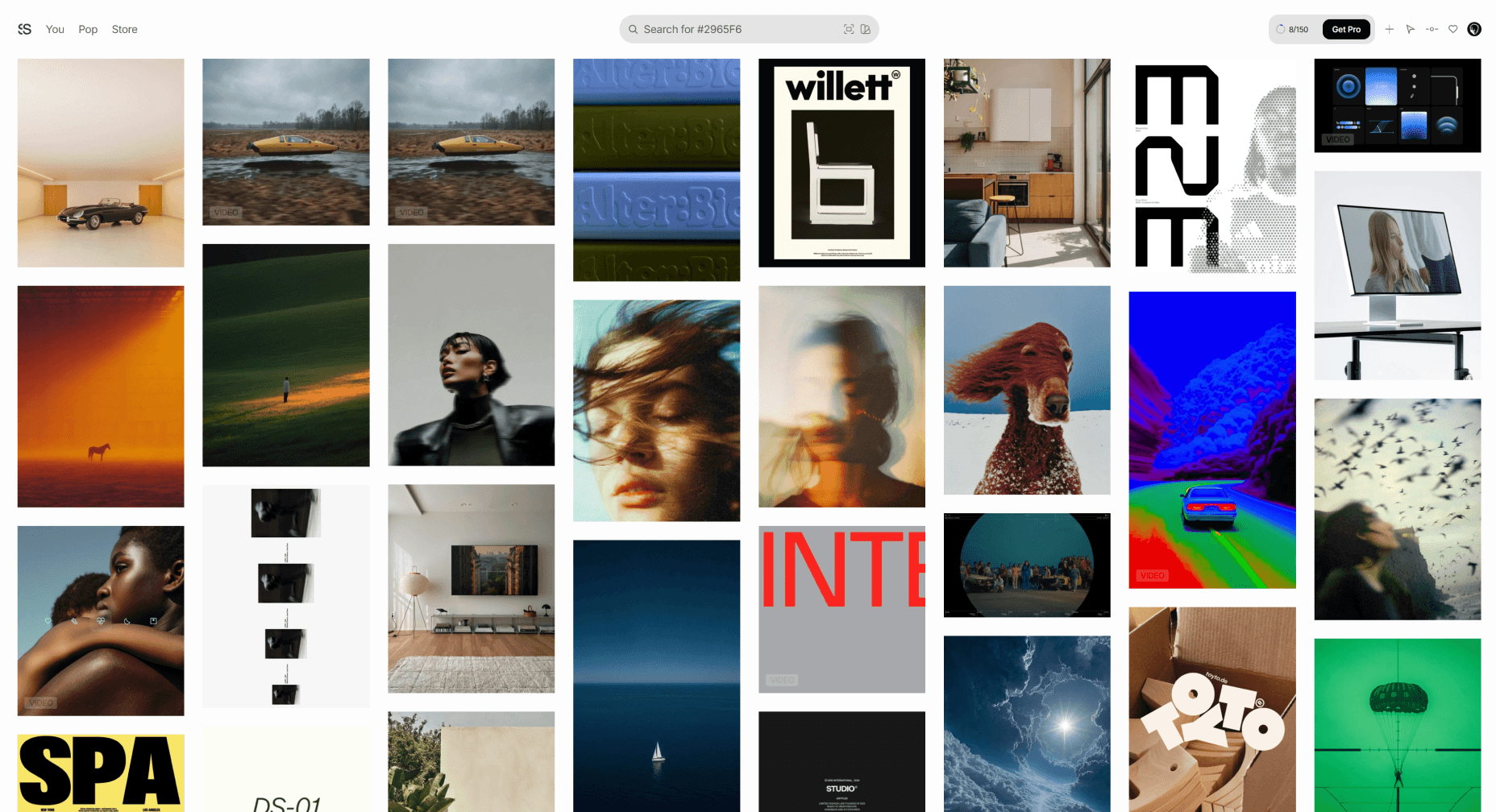
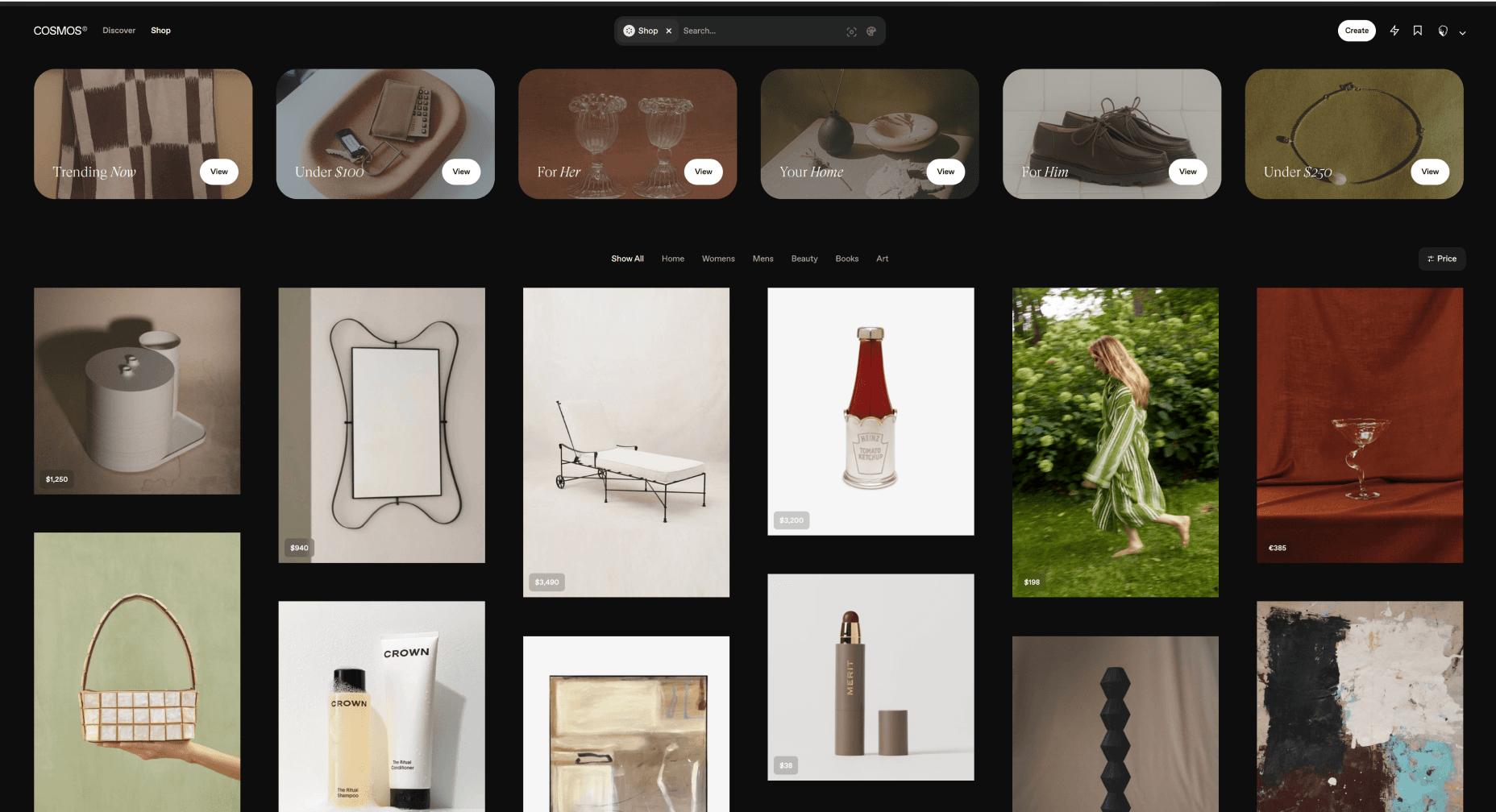
Most platforms are heavily focusing on the creative niche only. However, they continue overlooking several key areas where Pinterest remains strong, such as cooking, travel, and beauty.
This allows Pinterest to fully leverage these niches, helping the platform reclaim market share.
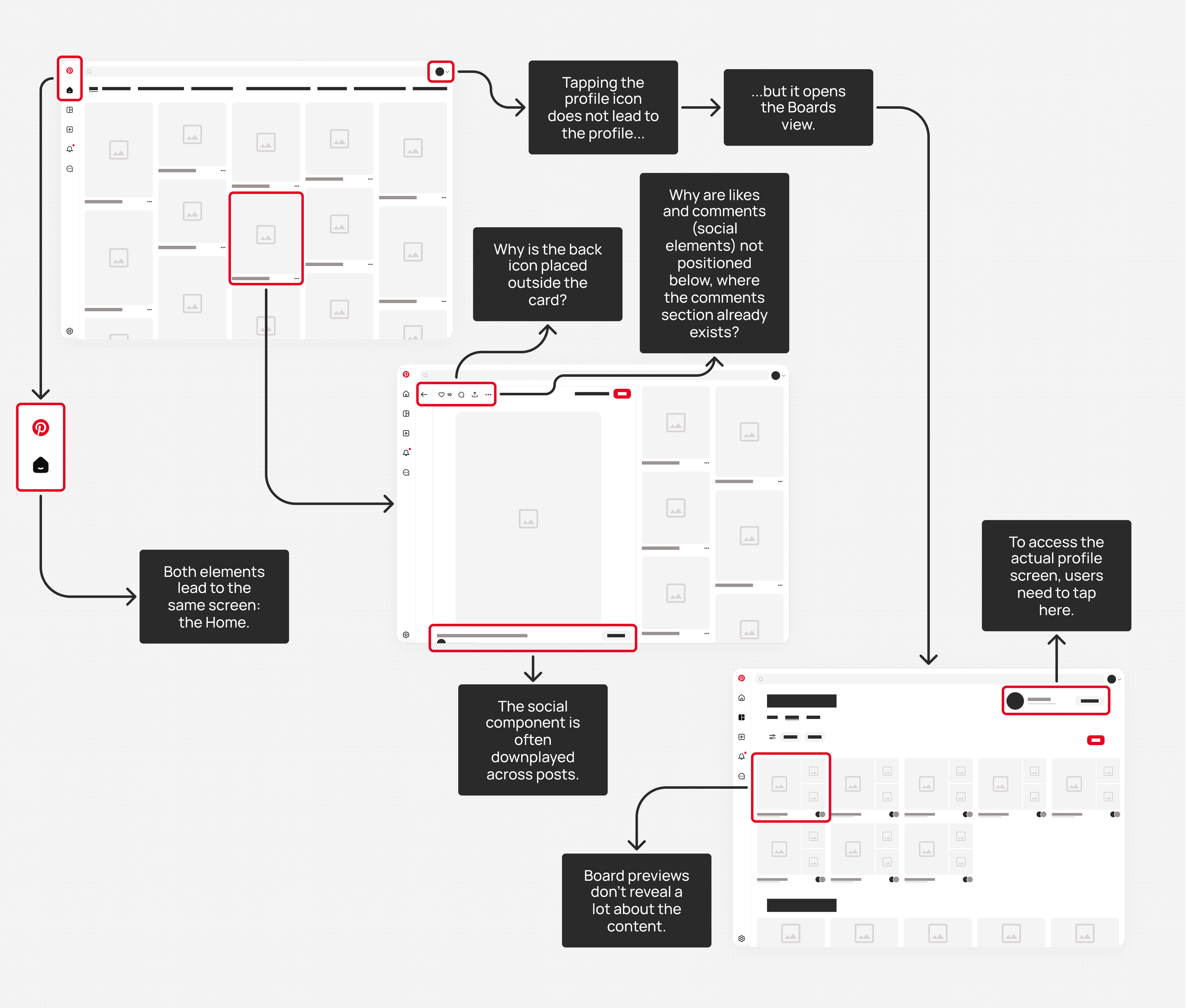
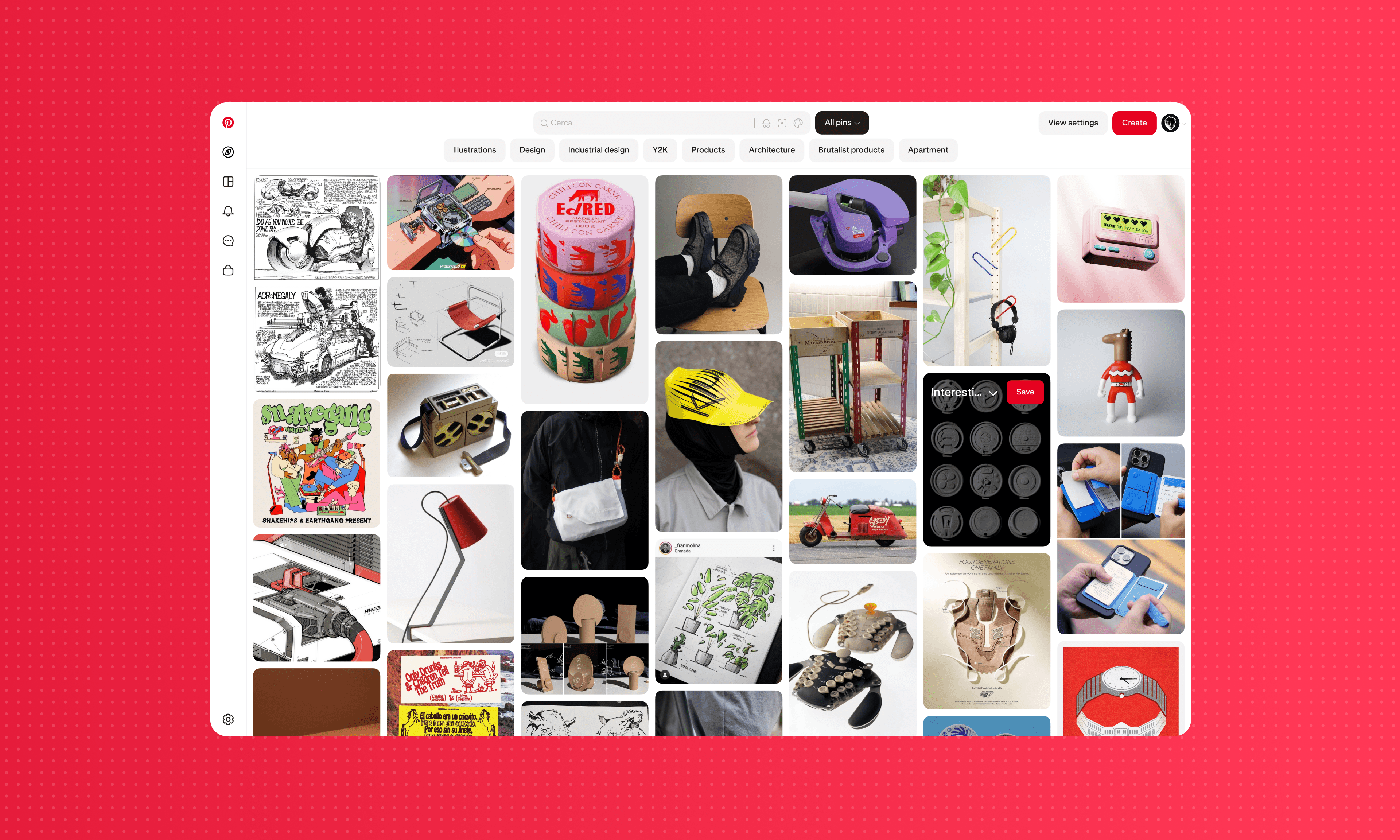
Review of the Existing Platform
Once I mapped out all the main screens of the platform, I moved on to tracing each user flow individually, highlighting redundant paths, hierarchy issues, and unexplored opportunities.
Before and After Redesign
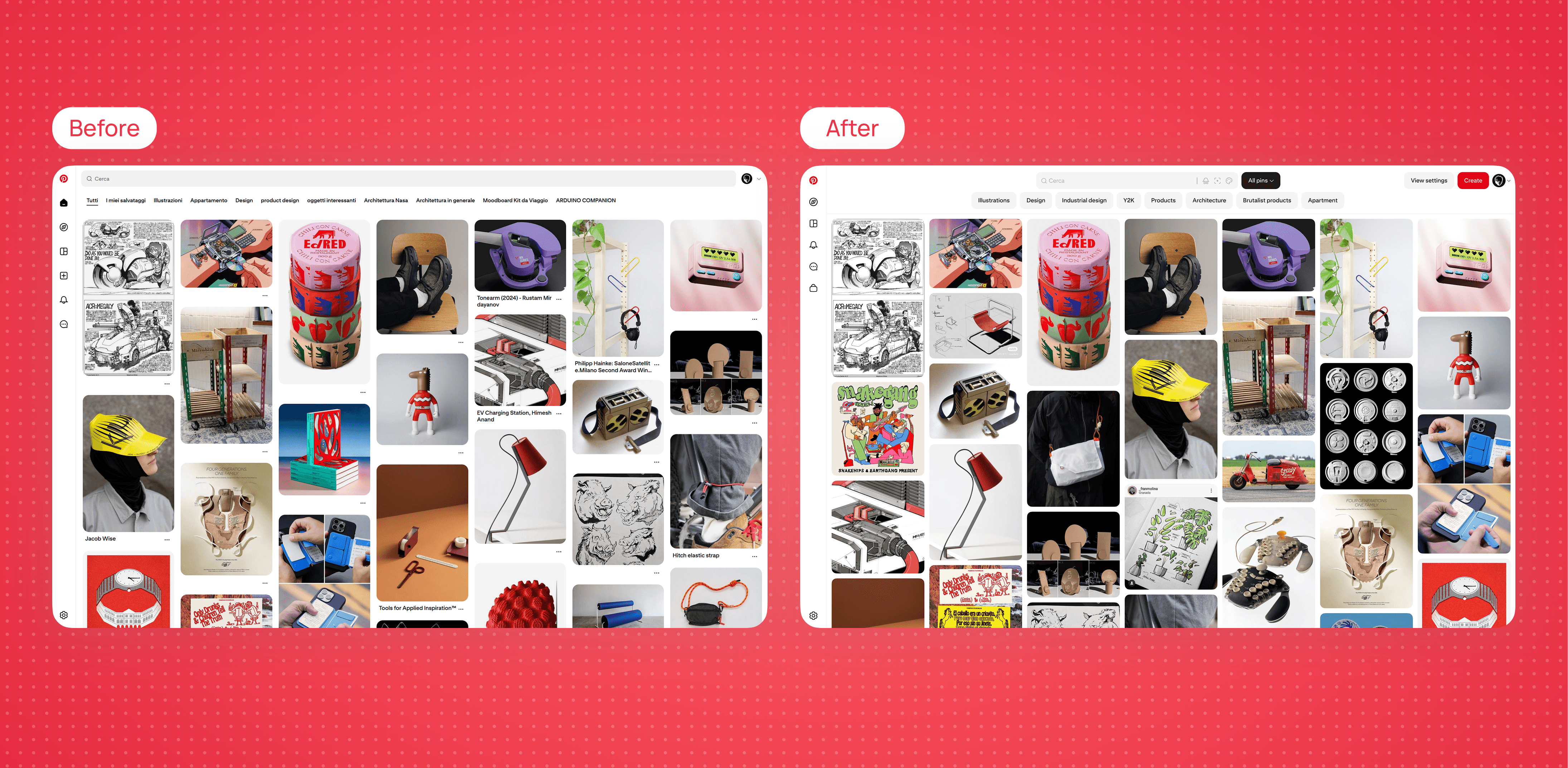
Here’s The New Design Artifacts
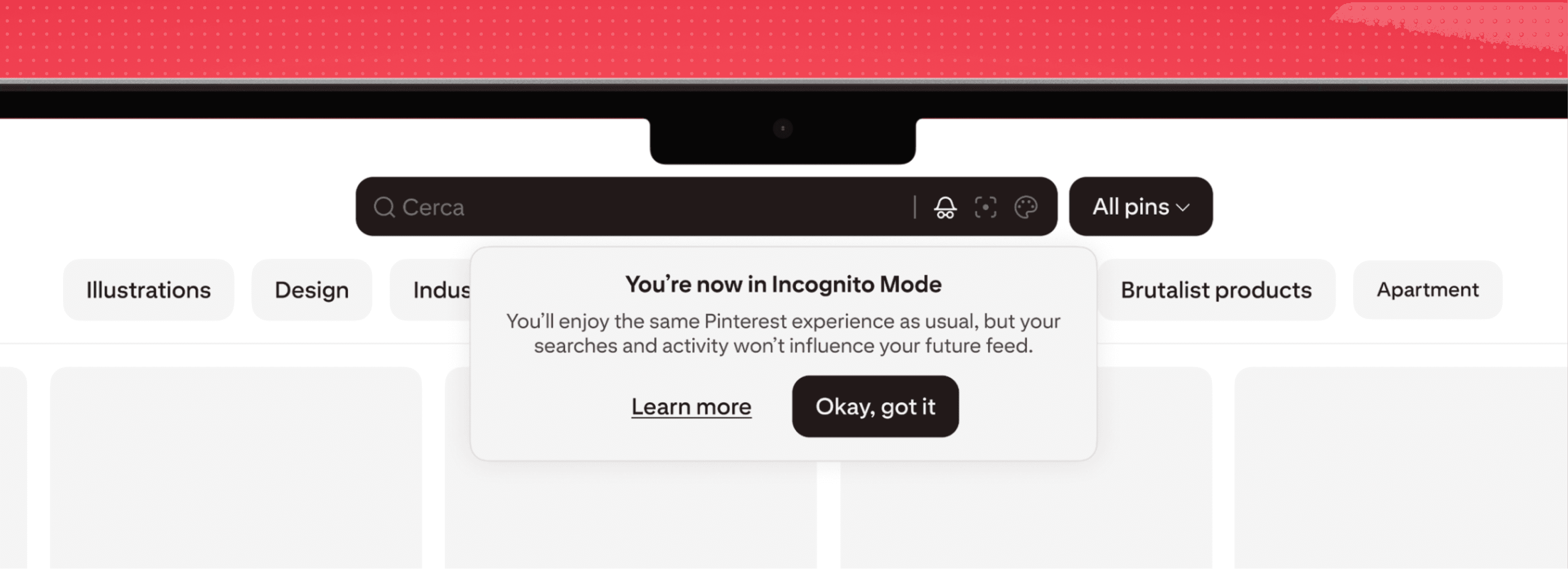
New Incognito Mode
Many users maintain multiple Pinterest accounts out of fear of “polluting” their feed with casual or exploratory searches. However, we often forget that the platform’s feed could still be useful, even for those single-searches. This led to the introduction of an Incognito Mode, which leverages your interests without influencing future recommendations.
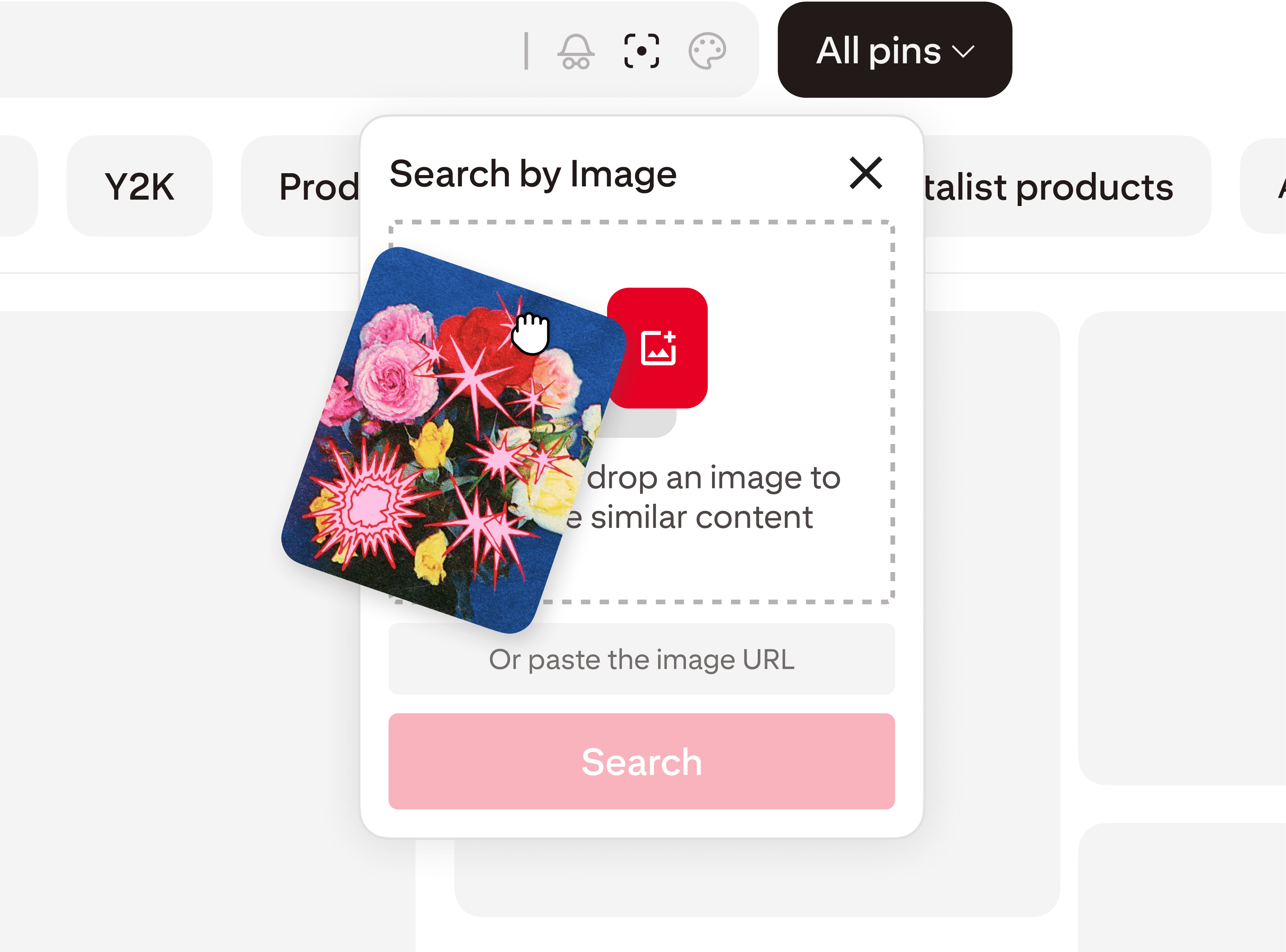
Drag-and-Drop Image Search
The ability to search using reference images allows the platform to deliver more accurate and targeted results aligned with user intent.
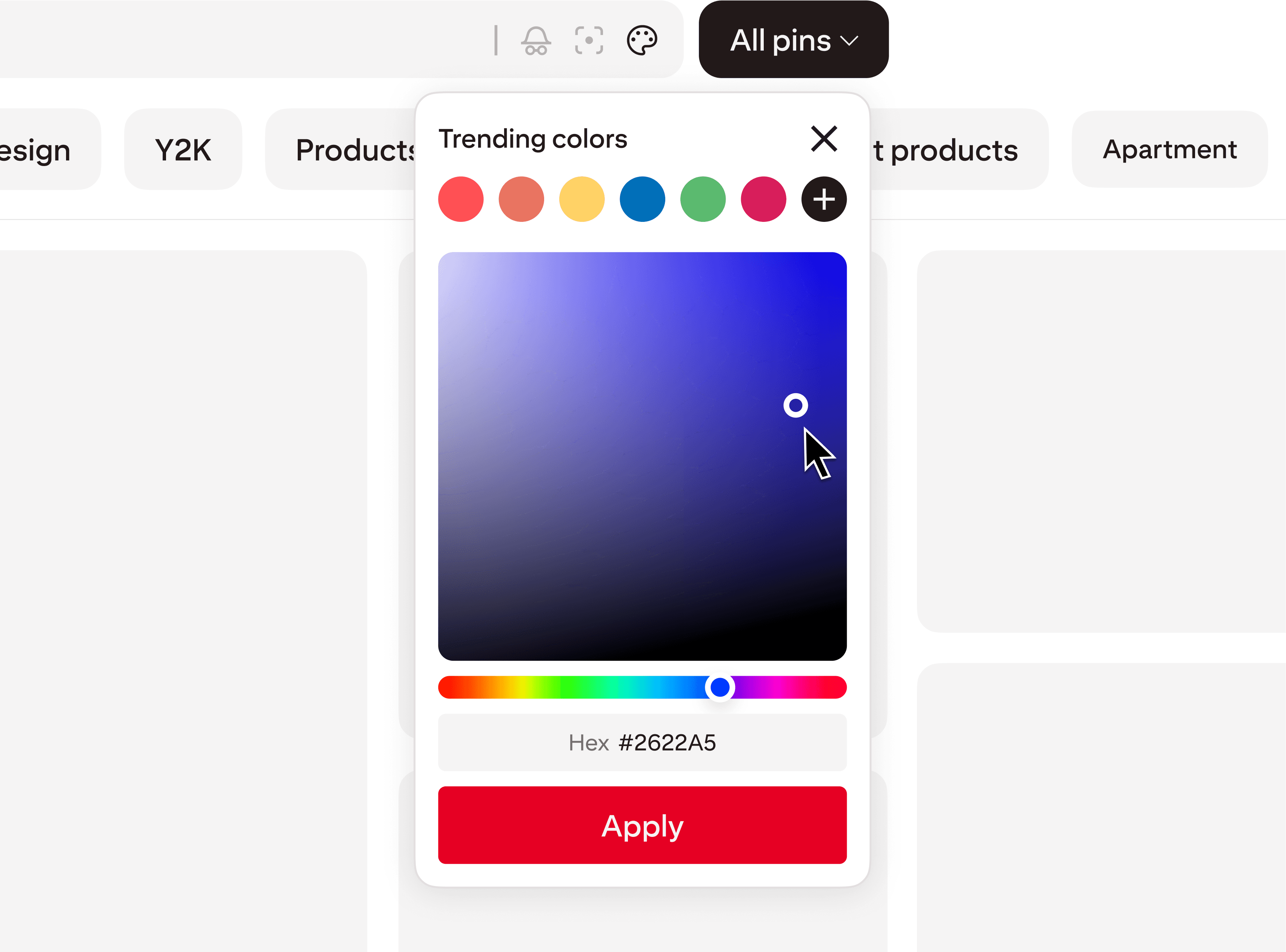
Search by Color
Color-based search can be a powerful tool for users, especially when they don’t have a clear idea of what they’re looking for but want to start from a color mood, becoming an additional element for inspiration discovery.
Boards take on a new look, finally giving more space and visibility to saved Pins, enhancing their value.
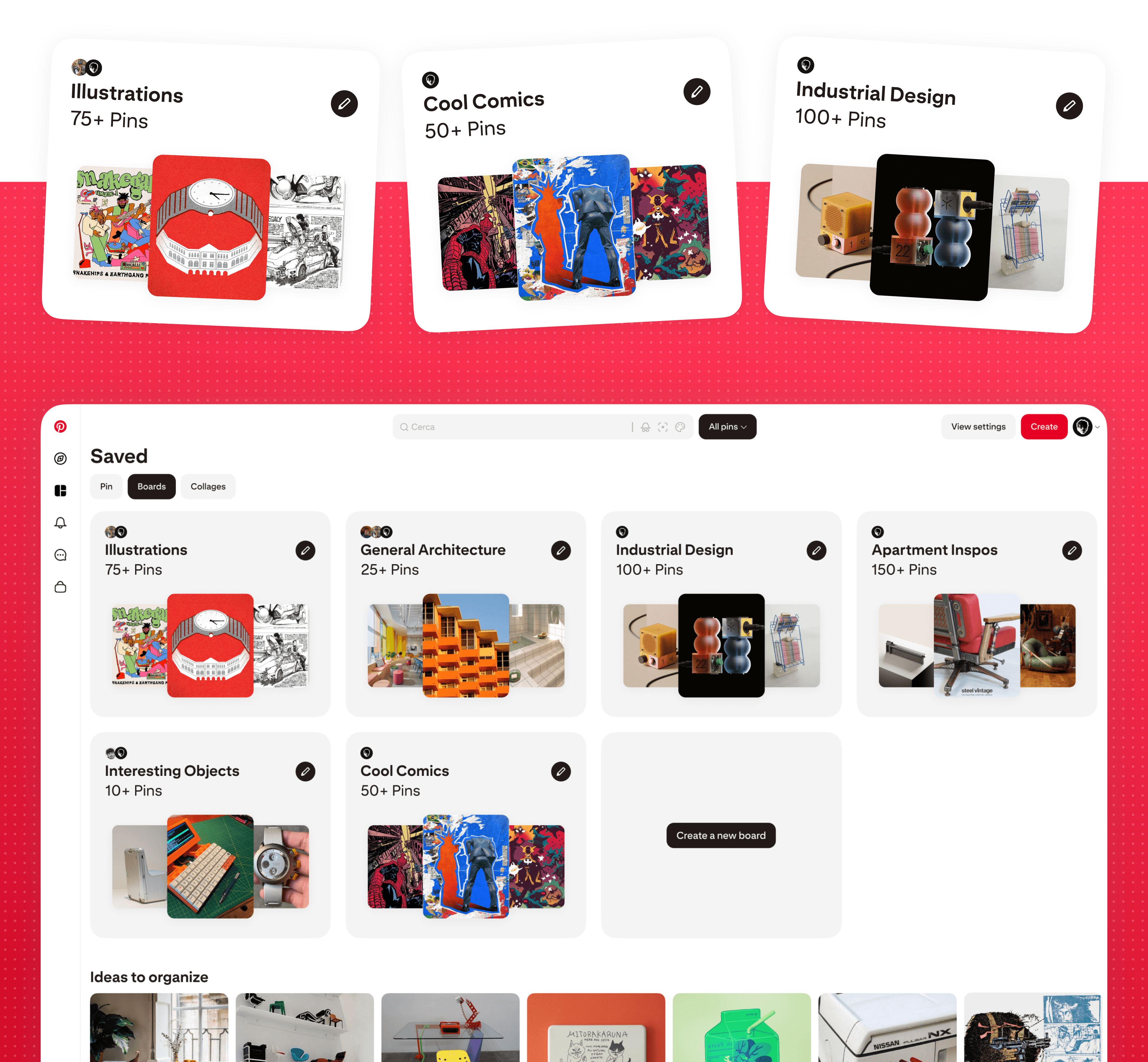
Pinterest Boards Screen
Boards expand to become more visually impactful while still clearly containing all the necessary information within the cards. The ideas to organize below remain in place, but with a different scale compared to the original layout.

Thank you for taking the time to explore this project!